
Aimbot controls
Enable Aimbot
Master switch for the aimbot section.
Field Of View Slider
How wide the aimbot searches around your crosshair.
Smoothness Slider
How gradually aim moves toward the selected target.
Max. Distance Slider
Furthest target distance the aimbot will consider.
Ignored Knocked Players
Skips downed players in the target pool.
Save Target
Keeps tracking the current target instead of swapping freely.
Aim Lock
Locks onto the active target while enabled.
Visibility Check
Skips targets the menu treats as not visible.
Humanized Smoothness
Adds humanized movement shaping on top of smoothness.
Humanized Smoothness Percent Slider
Sets how strong humanized smoothness is.
Select Custom Hitbox
Chooses which hitbox the aimbot prefers.
Draw FOV
Draws the aimbot FOV on screen.
Draw Crosshair
Draws a crosshair overlay for the aimbot section.
Draw Target
Highlights the active aimbot target.
Draw Target Type
Chooses how the target marker is drawn.
Aimbot Draw Thickness Slider
Line thickness for aimbot draw helpers.
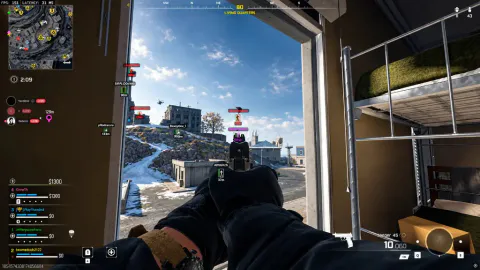
Tune before you raise FOV
Start with visibility check and ignored knocked players so picks match what you can actually shoot in Warzone range fights. Raise smoothness and humanized smoothness until movement looks readable on your sensitivity.
Use draw FOV and draw target briefly while tuning, then turn them off for a cleaner screen in late circle.
Controllers
The product listing includes official Xbox and PlayStation controller support. Pair aimbot with the hold primary and secondary key binds in misc when you play on gamepad.
Works well with
Related guides
Related reading
Call of Duty Aimbot questions
Can I use Call Of Duty ESP without the aimbot?
Yes. Turn aimbot off and player ESP, bots ESP, and items ESP still run.
What is Humanized Smoothness?
It layers humanized movement on top of the smoothness slider so aim changes look less robotic.
What is the difference between FOV and Draw FOV?
The FOV slider sets search width. Draw FOV only shows that area on screen.
Aimbot ships with the full menu
One license covers every module. Monthly is $35 for 31 days. Lifetime is $150.
Around the site
Status, checkout, and the guides that sit around this module.